Your next range card
starts here.
Choose a format, add your recorded data, and print a card that fits your kit. Straightforward to make. Easy to keep.
Build your free card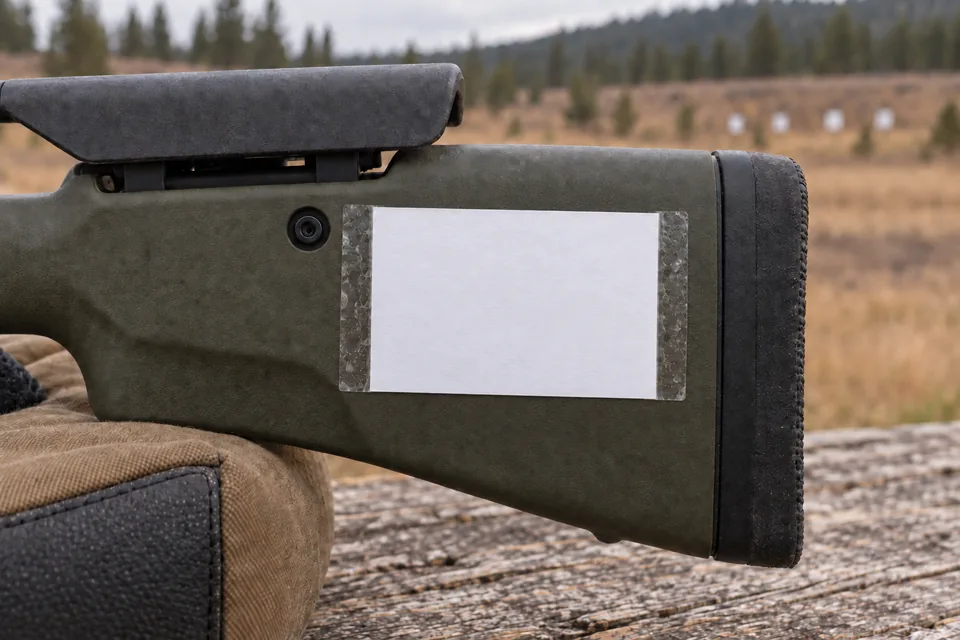
A few tips for a better print
Your saved cards 0
Ready for your next range day. Open a card to edit, or download it again.
Saved on this device in this browser only. Clearing site data removes them. Keep an editable backup to move or restore your saved cards.
Back up or import saved cards
Save your current edits first. A backup includes named saved cards, their entries, units, sizes and paper choices. Keep the file to restore them in another browser. Large libraries download in separate files under 2 MB each; keep every part. Nothing is uploaded.
Download backup againOr paste backup text
A place for every card.
See how each format fits into a range day. Select a photo for a closer look.
Actual template artwork in illustrative, AI-generated scenes—not photographs of tested products. Measure your equipment and check a paper copy. Print a fit-check sheet.
Stock card
A small blank card for a flat area on your stock or cheek riser.
Fill in your card
Enter your own recorded values. Changing distance or angular unit labels does not convert your entries. Leave fields empty for a blank template.
Paste a table
Copy spreadsheet cells or paste CSV. Your data stays in this browser. Use 1–25 rows, up to 12 columns and 32 KB. Values are copied as written, without calculations or unit conversions.
Include Range and Elevation columns; Wind is optional. Use plain numbers without spaces or unit suffixes. Empty elevation and wind cells stay blank. A final line ending is accepted; blank rows within the table need correcting.
Entries stay in this browser tab. No data is sent to a server.
- Card size
- Print output
- Paper or Save as PDF
- Layout
In the print dialog, use 100% / Actual size and turn off headers and footers. Choose “Save as PDF” to keep a digital copy.
Size and printing notes
Measure the flat area where you intend to put the card. Print at 100% or “Actual size”; “Fit to page” will change its dimensions. Check a paper copy before ordering an adhesive version.
Before you cut it out
- Select the paper loaded in your printer: Letter or A4.
- Print at 100% / Actual size. Turn off “Fit to page.”
- Check the printed scale and test the fit on plain paper.
- If you laminate it, allow room for the sealed edge.
Our field images illustrate placement. Physical fit, print legibility, and sticker durability have not yet been verified. Start with a paper test.
Print-and-photo checklist + actual-size references (Letter / A4)
Download fit pack againDownload test sheet again
Want adhesive cards?
Printed vinyl versions are planned through Printify. The same layouts will remain free to print at home.
We’re checking actual sizes, small-text clarity, and marker performance before listing them.
Not available to order yet. Physical samples and delivered pricing still need checking.